Expert
-
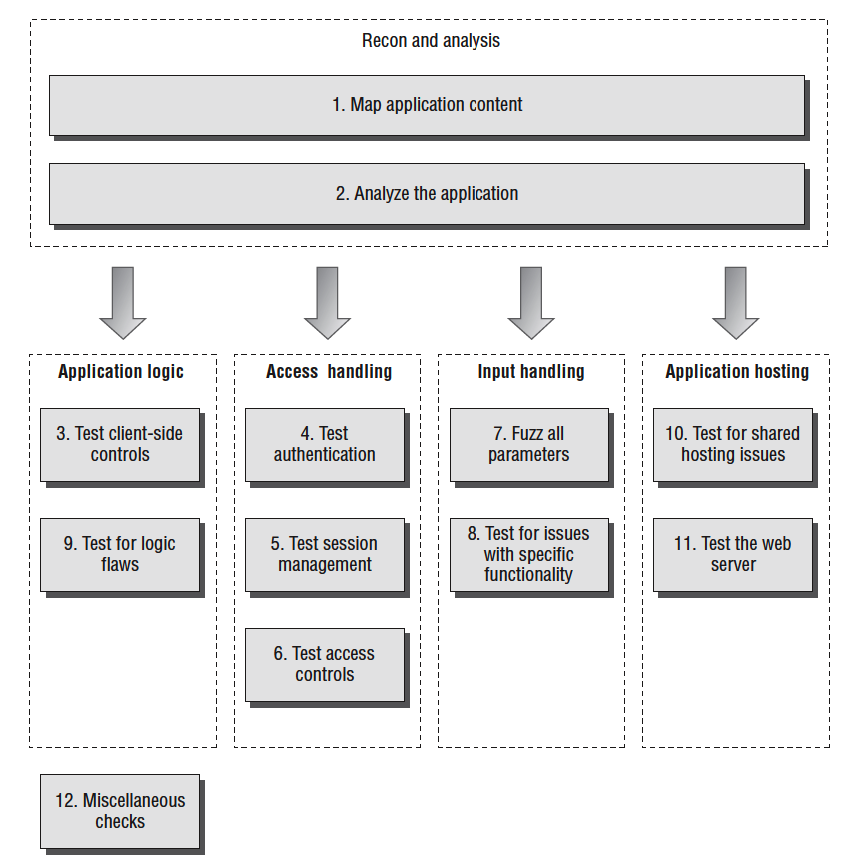
- Map the Application’s Content
- Analyze the Application
- Test Client-Side Controls
- Test the Authentication Mechanism
- Test the Session Management Mechanism
- Test Access Controls
- Test for Input-Based Vulnerabilities
- Test for Function-Specific Input Vulnerabilities
- Test for Logic Flaws
- Test for Shared Hosting Vulnerabilities
- Test for Web Server Vulnerabilities
- Miscellaneous Checks
Application Security Audit
There are some general considerations which you should always keep in mind when carrying out the detailed tasks involved in attacking a web application. These may apply to all of the different areas you need to examine, and techniques you need to carry out.
Remember that several characters have special meaning in different parts of the HTTP request. When you are modifying the data within requests, you should URL-encode these characters to ensure that they are interpreted in the way you intend:
&is used to separate parameters in the URL query string and message body. To insert a literal & character, you should encode this as%26.=is used to separate the name and value of each parameter in the URL query string and message body. To insert a literal = character, you should encode this as%3d.?is used to mark the beginning of the URL query string. To insert a literal ? character, you should encode this as%3f.- A space is used to mark the end of the URL in the first line of requests, and can indicate the end of a cookie value in the Cookie
header. To insert a literal space you should encode this as
%20or +. - Because
+represents an encoded space, to insert a literal + character, you should encode this as%2b. ;is used to separate individual cookies in the Cookie header. To insert a literal ; character, you should encode this as%3b.#is used to mark the fragment identifier within the URL. If you enter this character into the URL within your browser, it will effectively truncate the URL that is sent to the server. To insert a literal # character, you should encode this as%23.%is used as the prefix in the URL-encoding scheme. To insert a literal % character, you should encode this as%25.- Any nonprinting characters such as null bytes and newlines must, of course, be URL-encoded using their ASCII character code—in this case, as
%00and%0a, respectively.
Many tests for common web application vulnerabilities involve sending various crafted input strings, and monitoring the application’s responses for anomalies, which indicate that a vulnerability is present. In some cases, the application’s response to a particular request will contain a signature of a particular vulnerability regardless of whether a trigger for that vulnerability has been submitted. In any case where specific crafted input results in behavior associated with a vulnerability (such as a particular error message), you should double-check whether submitting benign input in the relevant parameter also causes the same behavior. If it does so, then your tentative finding is probably a false positive.
Applications typically accumulate an amount of state from previous requests, which affects how they respond to further requests. Sometimes, when you are trying to investigate a tentative vulnerability, and isolate the precise cause of a particular piece of anomalous behavior, it is necessary to remove the effects of any accumulated state. To do this, it is usually sufficient to begin a fresh session with a new browser process, navigate to the location of the observed anomaly using only benign requests, and then resubmit your crafted input. You can often replicate this measure by adjusting the parts of your requests containing cookies and caching information. Further, you can use a tool like Burp Repeater to isolate a request, make specific adjustments to it, and reissue it as many times as you require.
Some applications use a load-balanced configuration in which consecutive HTTP requests may be handled by different back-end servers, at the web, presentation, data, or other tiers. Different servers may have small differences in configuration that affect your results. Further, some successful attacks will result in a change in the state of the specific server that handles your requests—such as the injection of a new stored procedure into the database or the creation of a new file within the web root. To isolate the effects of particular actions, it may be necessary to perform several identical requests in succession, testing the result of each until your request is handled by the relevant server. Assuming that you are implementing this methodology as part of a consultancy engagement, you should always be sure to carry out the usual scoping exercise, to agree precisely which hostnames, URLs, and functionality are to be included, and whether any restrictions exist on the types of testing you are permitted to perform. You should make the application owner aware of the inherent risks involved in performing any kind of penetration testing against a black-box target, and advise them to carry out a backup of any important data before you commence your work.
Steps:
Map the Application’s Content
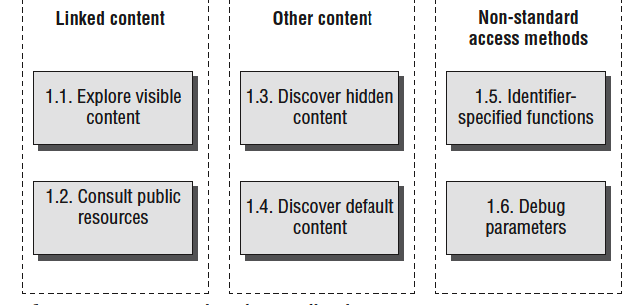
- Explore Visible Content
- Consult Public Resources
- Discover Hidden Content
- Discover Default Content
- Enumerate Identifier-Specified Functions
- Test for Debug Parameters
Analyze the Application
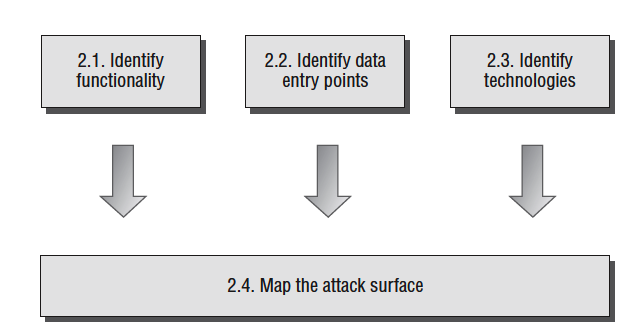
- Identify Functionality
- Identify Data Entry Points
- Identify the Technologies Used
- Map the Attack Surface
Test Client-Side Controls
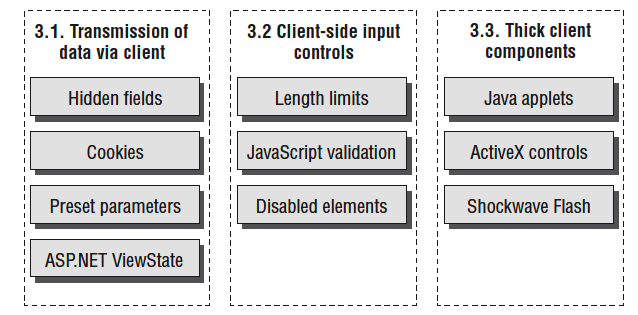
- Test Transmission of Data via the Client
- Test Client-Side Controls over User Input
- Test Thick-Client Components
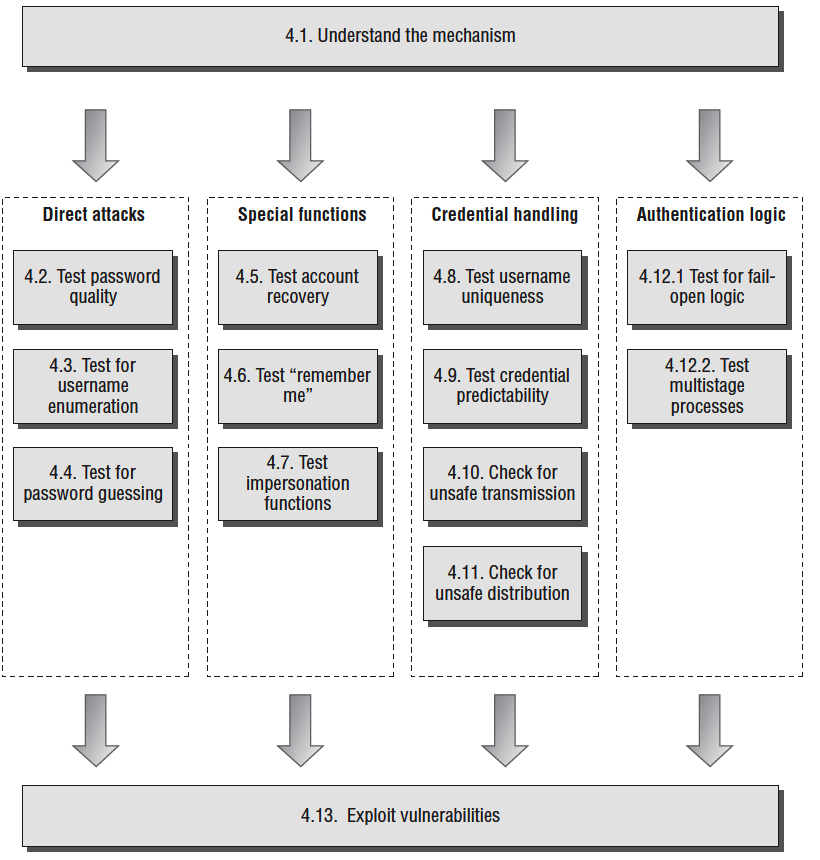
Test the Authentication Mechanism
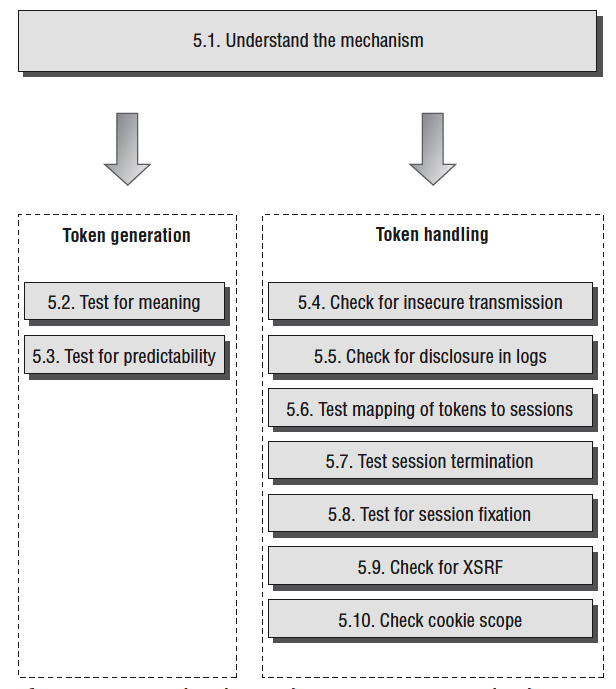
Test the Session Management Mechanism
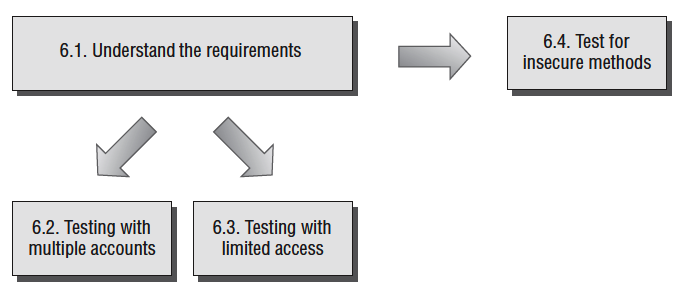
Test Access Controls
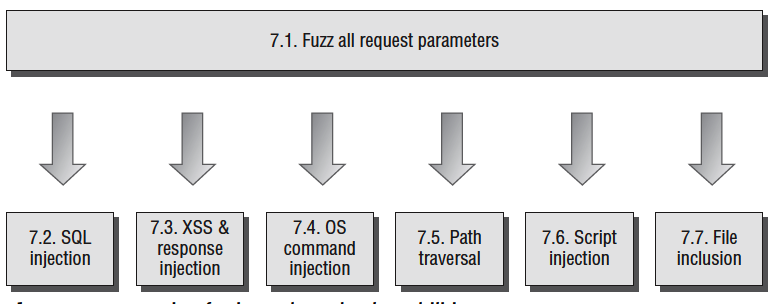
Test for Input-Based Vulnerabilities
Test for Function-Specific Input Vulnerabilities
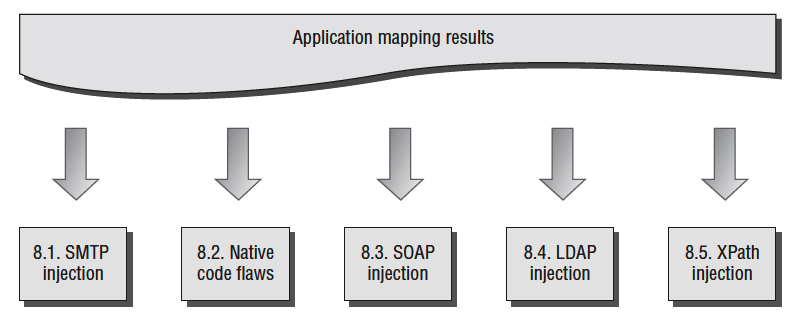
Test for Logic Flaws
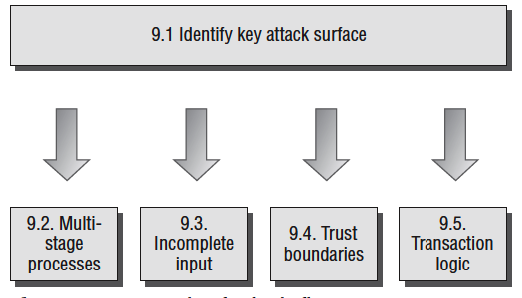
Test for Shared Hosting Vulnerabilities
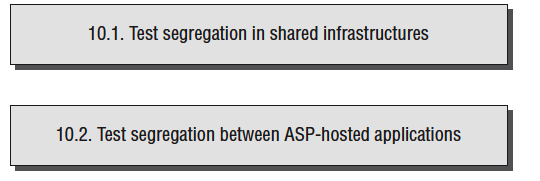
Test for Web Server Vulnerabilities
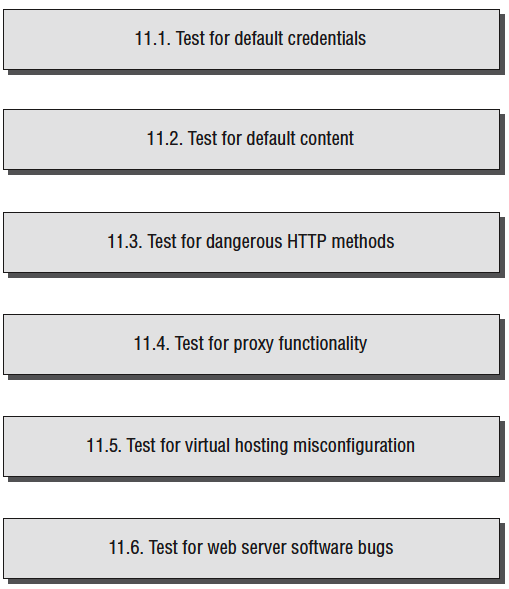
Miscellaneous Checks
Finding Vulnerabilities in Source Code
So far, the attack techniques we have described have all involved interacting with a live running application, and have largely consisted of submitting crafted input to the application and monitoring its responses. In this chapter, we will examine an entirely different approach to finding vulnerabilities— that is, by reviewing the application’s source code. There are various situations in which it may be possible to perform a source code audit to assist you in attacking a target web application:
- Some applications are open source, or use open source components, enabling you to download their code from the relevant repository and scour it for vulnerabilities.
- If you are performing a penetration test in a consultancy context, the application owner may grant you access to their source code in order to maximize the effectiveness of your audit.
- You may discover a file disclosure vulnerability within an application that enables you to download its source code.
- Most applications use some client-side code such as JavaScript, which is accessible without requiring any privileged access.
It is often perceived that to carry out a code review, it is necessary to be an experienced programmer yourself and to have detailed knowledge of the language being used. However, this need not be the case. Many higher-level languages can be read and understood by someone with very limited programming experience, and many types of vulnerabilities manifest themselves in the same way across all of the languages commonly used for web applications. The majority of code reviews can be carried out using a standard methodology, and you can rely upon a cheat sheet to help you understand the relevant syntax and APIs that are specific to the language and environment you are dealing with. This chapter will describe the core methodology that you need to follow and provide cheat sheets for some of the languages you are likely to encounter.
Approaches to Code Review
- Black-Box vs. White-Box Testing
The attack methodology described in previous chapters is often labeled as a black-box approach to testing, because it involves attacking the application from the outside, and monitoring its inputs and outputs, with no prior knowledge of its inner workings. In contrast, a white-box approach involves looking inside the application’s internals, with full access to design documentation, source code, and other materials.
Performing a white-box code review can be a highly effective means of discovering vulnerabilities within an application. With access to source code, it is often possible to quickly locate problems that would be extremely difficult or time-consuming to detect using only black-box techniques. For example, a backdoor password that grants access to any user account may be trivial to identify by reading the code, but near impossible to detect using a passwordguessing attack.
Signatures of Common Vulnerabilities
- Cross-Site Scripting (XSS
- SQL Injection
- Path Traversal
- Arbitrary Redirection
- OS Command Injection
- Backdoor Passwords
Native Software Bugs
- Buffer Overflow Vulnerabilities
- Integer Vulnerabilities
- Format String Vulnerabilities
Source Code Comments
JavaScript APIs That Read from DOM-Based Data:
These APIs can be used to access DOM data that may be controllable via a crafted URL, and may therefore represent an entry point for crafted data to attack other application users:
- document.location
- document.URL
- document.URLUnencoded
- document.referrer
- window.location
These APIs can be used to update the contents of the document, and to dynamically execute JavaScript code. If attacker-controllable data is passed to any of these APIs, then this may provided a means of executing arbitrary JavaScript within a victim’s browser.
- document.write()
- document.writeln()
- document.body.innerHtml
- eval()
- window.execScript()
- window.setInterval()
- window.setTimeout()
Database Code Components
Web applications increasingly use databases for much more than passive data storage. Today’s databases contain rich programming interfaces, enabling substantial business logic to be implemented within the database tier itself. Developers frequently use database code components such as stored procedures, triggers, and user-defined functions to carry out key tasks. When you are reviewing the source code to a web application, you should therefore ensure that all logic implemented within the database is included within the scope of the review.
Programming errors in database code components can potentially result in any of the various security defects described in this chapter. In practice, however, there are two main areas of vulnerability that you should look out for. First, database components may themselves contain SQL injection flaws. Second, user input may be passed to potentially dangerous functions in unsafe ways.
- SQL Injection
- Calls to Dangerous Functions
- Tools for Code Browsing